Where is my Merchant ID and Key?

Where is my Merchant ID and Key?

New PayFast Dashboard

To find your Merchant ID and Key after your account has been verified, do the following:

  1. Log in to your PayFast account.
  2. Navigate to Account > Personal Information.
  3. Your Merchant ID and Key can be found on the top right-hand corner of the page.

Old PayFast Dashboard

Your Merchant ID and Merchant Key can be found in the left corner of your PayFast Dashboard. When you log in to your PayFast account you will immediately see them.
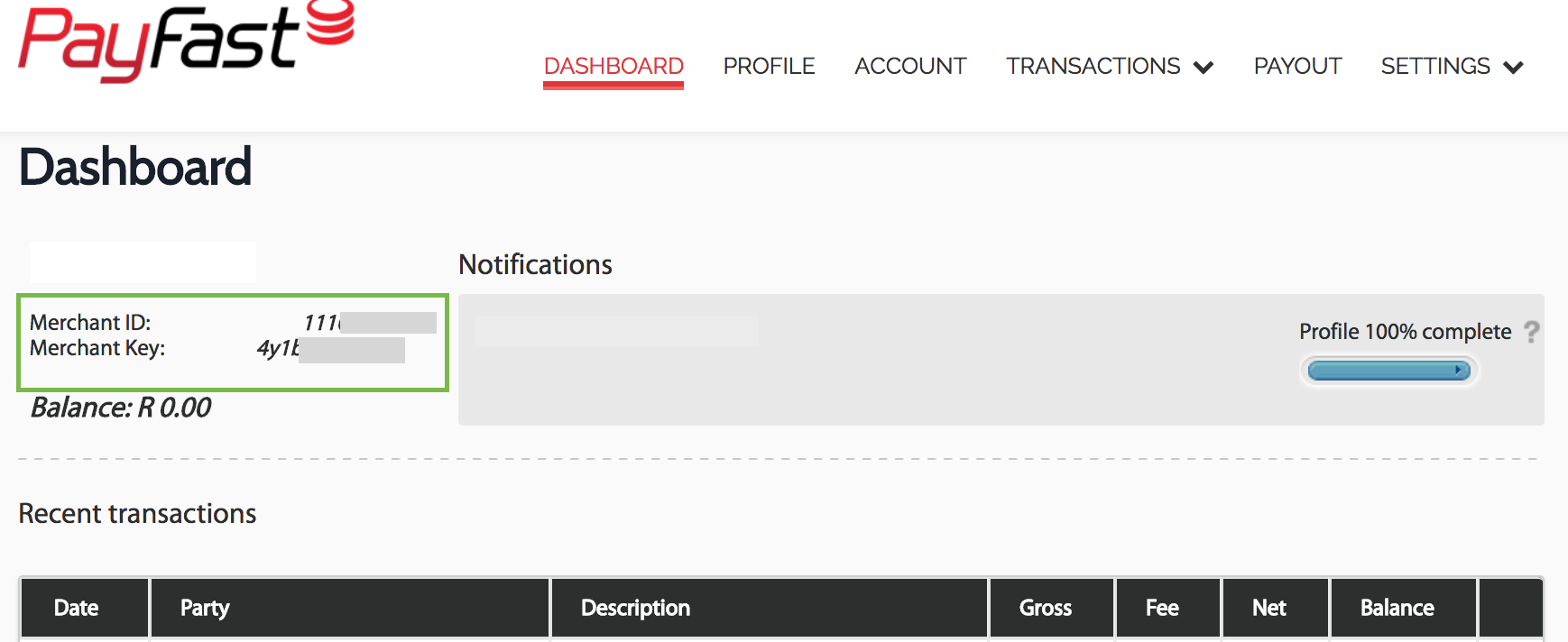
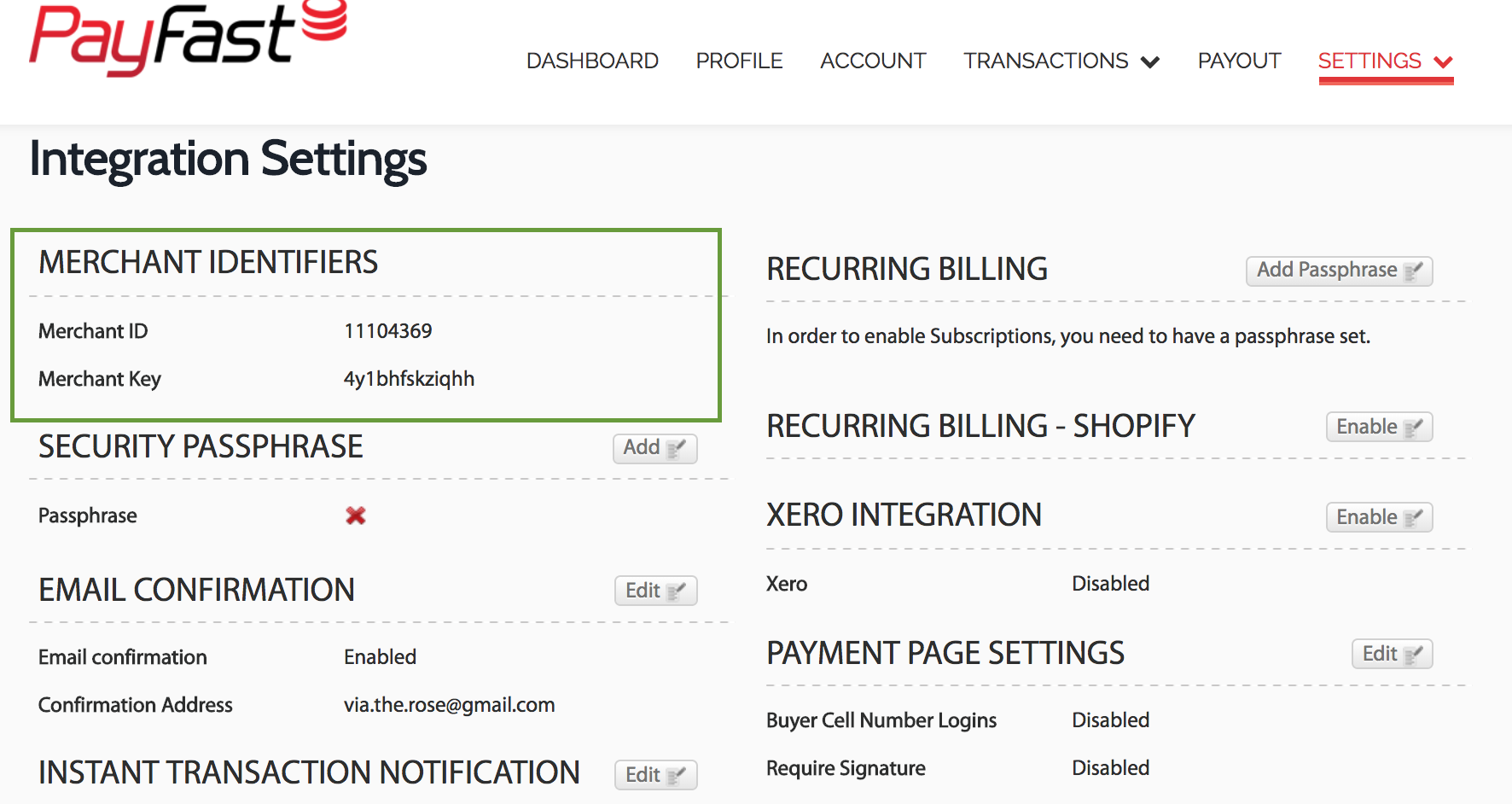
Alternatively, you can find them by going to Settings > Integrations on your PayFast Dashboard. They are listed under Merchant Identifiers.


    • Related Articles

    • Can I link one PayFast account with more than one website?

      Technically you can use the same PayFast account (that is the same PayFast Merchant ID and Key) on multiple websites. However, using the same PayFast account on multiple websites doesn’t cater for a good buyer experience because the same merchant ...
    • How do I enable a passphrase on my Payfast account?

      The passphrase is an extra security feature that you can enable on your Payfast Dashboard to make your security signature (sent when a payment is made) more secure. You may set your passphrase as a combination of up to 32 characters of your choosing. ...
    • How do I obtain a two-factor authentication key to log in with?

      There are two ways to obtain an authentication key. If you are using a smartphone, download the Authy app for your iPhone or Android mobile phone. Every time you log in, you will need to generate a secure token using the Authy app. If you don't have ...
    • SmartView Performance Report

      What is the SmartView Performance Report? The SmartView Performance Report is a solution that provides automated reporting directly to your inbox. You can make informed decisions to improve profitability and run operational activities more ...
    • Why did I not receive an email for a cancelled subscription notification? (Merchant)

      The notification of the cancelled subscription will go to the email address that was used to register the merchant’s PayFast account. It will not be sent to the email confirmation address that is set on the merchant account via the PayFast Dashboard, ...